A second Dock, alive with widgets.
NiceDock sits beside the macOS Dock and brings 111 native widgets into one glassy strip. Built in Swift, light on memory, fluent in ten languages.
NiceDock is a second Dock for your Mac.
Lives exactly where you want it.
Beside the macOS Dock, instead of it, at the top of the screen or floating free. Switch any time from the menu bar.
- 01
Swap at the bottom
Sits at the bottom edge. Push the pointer to the edge and the macOS Dock takes over.
- 02
Reveal
Hidden until the pointer reaches the bottom edge, then it glides up.
- 03
Fixed
Always visible in any of six positions, from the top left to the bottom right.
- 04
Reveal on top
Slides down from the top edge, out of the way of your apps.
- 05
Replace the Dock
Hides the macOS Dock while it runs and takes its place. Quit, and the Dock comes back.
- 06
Floating
Drag it anywhere on the screen. It remembers the spot.
Everything at a glance.
Clocks and focus timers, calendars and reminders, live weather, stocks and crypto, CPU, memory and battery, quick toggles, files and media — plus connected services like Stripe, GitHub, Plausible and your AI usage.
Native, quiet, and yours.
SwiftUI and AppKit through and through, designed to feel like part of macOS.
Light and fast
Services run only while a visible widget needs them, and a hidden dock unmounts its widgets. Clocks tick on the system's schedule instead of timers.
Local-first and private
No account, no telemetry. Tokens stay in your Keychain, and a permission is asked for only when a widget needs it.
Ready for AI assistants
Claude, Codex, Cursor and other MCP clients can read and arrange your dock, and paint wallpapers by mood or weather. Read-only until you allow changes.
Profiles for every mood
Up to eight docks for work, home or focus. Swipe between them or press ⌃⌥⌘ 0–7.
A complete Settings window
Twelve panes: appearance with a live preview, six dock styles including Liquid Glass, layouts, screens, profiles, shortcuts, permissions and performance.
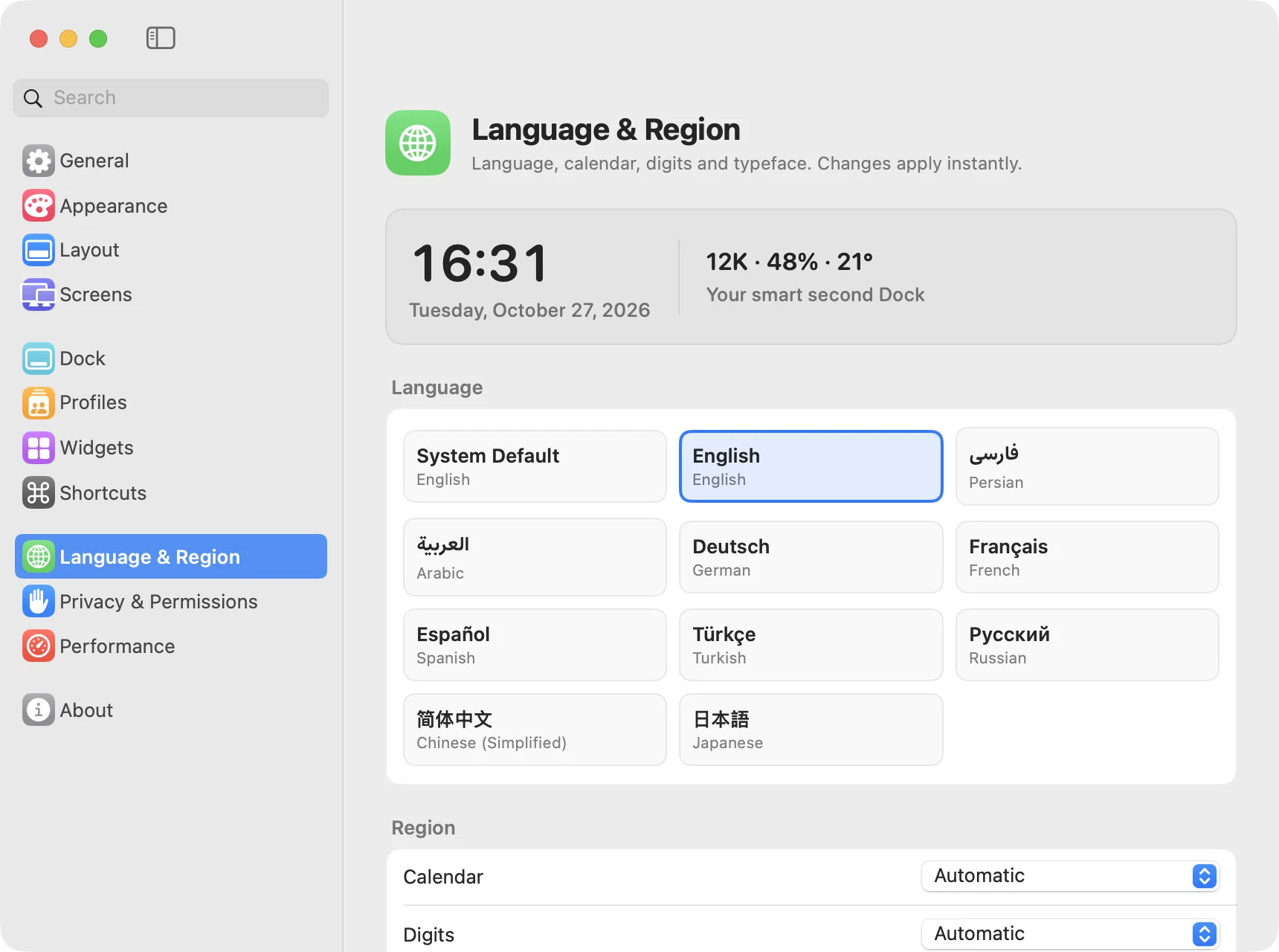
Speaks your language.
Switch languages instantly, without relaunching. Persian and Arabic turn the whole interface right-to-left, with the Estedad typeface, the Solar Hijri calendar and native digits.
Up and running in a minute.
Free download. macOS 14 Sonoma or later on Apple silicon.
Download
Open NiceDock.dmg and drag NiceDock into Applications.
Allow it once
NiceDock isn't notarized by Apple yet, so macOS stops the first launch. Open System Settings › Privacy & Security and click Open Anyway.
Make it yours
Pick a layout, then right-click the dock › Widgets… to add, customize and reorder widgets.
Prefer the Terminal? After moving it to Applications:
xattr -dr com.apple.quarantine /Applications/NiceDock.app
Give your Dock a second life.
Free, native and private. Download NiceDock and make the bottom of your screen work harder.